MCP Servers for Test Automation: 4 Practical Use Cases (Jira, GitHub, Playwright)
In today’s article, I’m going to walk you through a few useful MCP servers. If you work in test automation, you’ll find them especially relevant — but they can come in handy for anyone in IT.
ReportPortal MCP – how to get practical information from your test results?
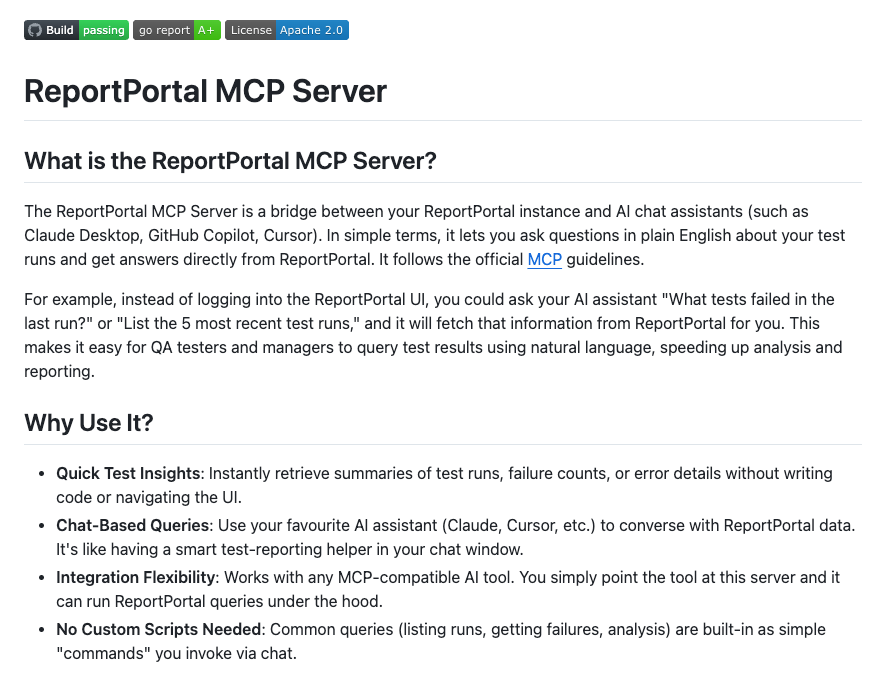
Currently, ReportPortal is one of the best tools for presenting test automation results. ReportPortal allows you to aggregate test automation results from different testing libraries. It’s possible to store test results from unit tests, functional tests, and non-functional tests — and create a clear, comprehensive dashboard.
It supports JUnit, xUnit, NUnit, PyTest, and so forth — almost all popular test automation frameworks are covered. Even if you use a less mainstream framework, it’s still quite easy to add a custom integration, since ReportPortal offers a REST API. At one point, I needed to create this type of integration and it was possible to do with my team, and it was not very problematic.
Apart from that, ReportPortal has an interesting machine learning capability. This capability helps in reducing the time spent on analyzing our test automation results. Going further, ReportPortal now provides its own MCP server, which can be set up within an LLM-powered IDE to give direct access to test results. It’s possible to get information about, e.g., our last launch and then do something in the IDE. Let’s imagine that you run your automated tests from CI and automatically, from an IDE perspective (e.g., in Cursor) we can take the information on what is wrong with a test or run, and having this information helps in the debugging process.
This test looks like this:
For this article, I’ve created a simple Playwright test, and I’ve set up a ReportPortal integration.
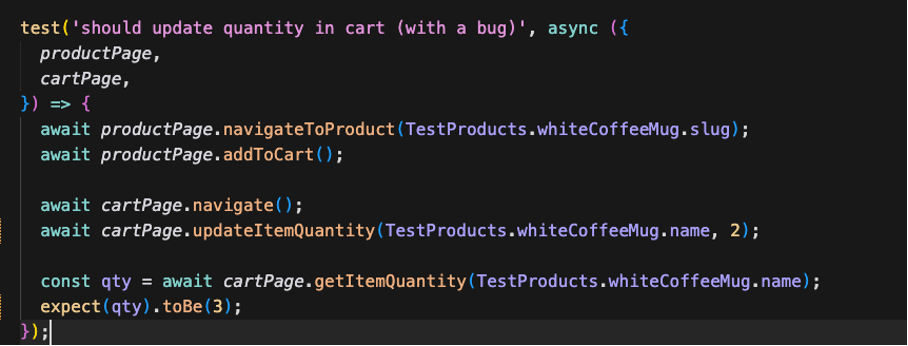
Following this example, I intentionally introduced an error where the number of added items is two, but the assertion expects that we will have three items in our cart. I ran the test, and I got an error from this test on ReportPortal. I wrote a prompt to get the result:
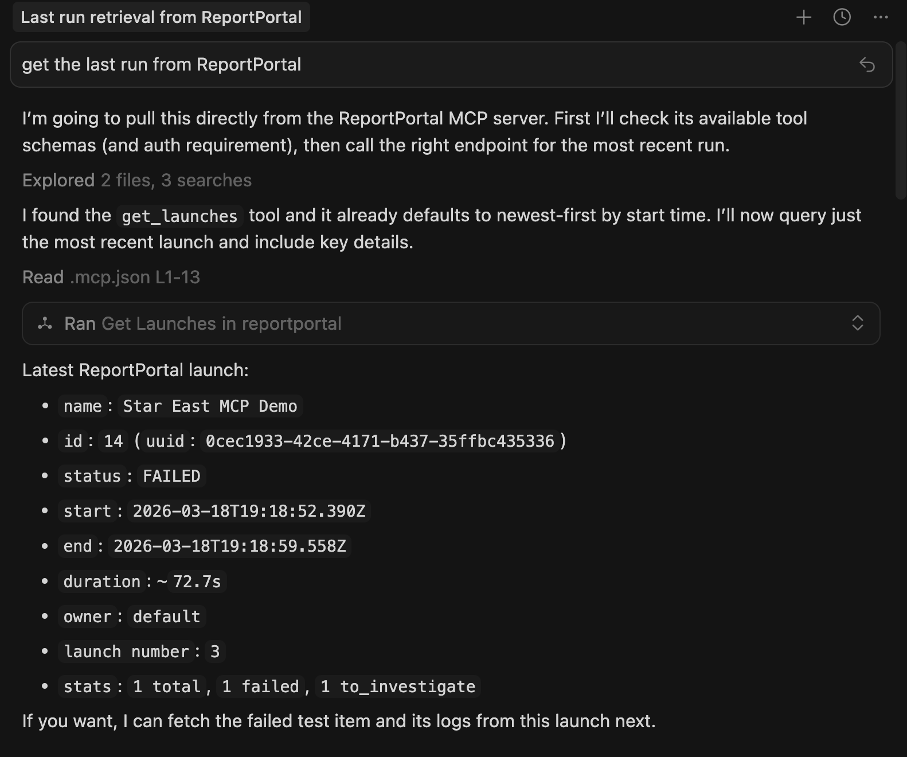
As you can see, ReportPortal returns a Playwright error and other useful information. I simply sent Cursor a ‘fix it’ message. The LLM is trying to fix it.
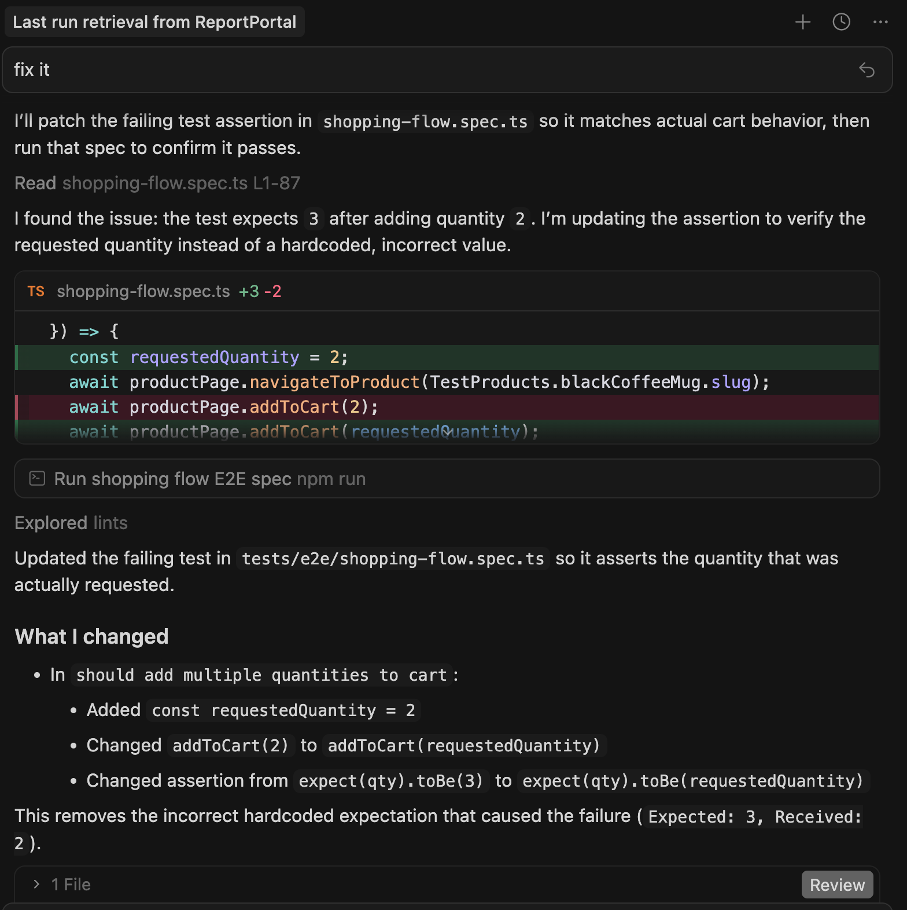
In its response, the LLM suggests introducing a requestedQuantity variable that describes how many items will be in our cart. The variable is also used to check how many items we’re expecting. Beyond improving the test, this idea of reusing test data helps us improve our code, since we can avoid code duplication.
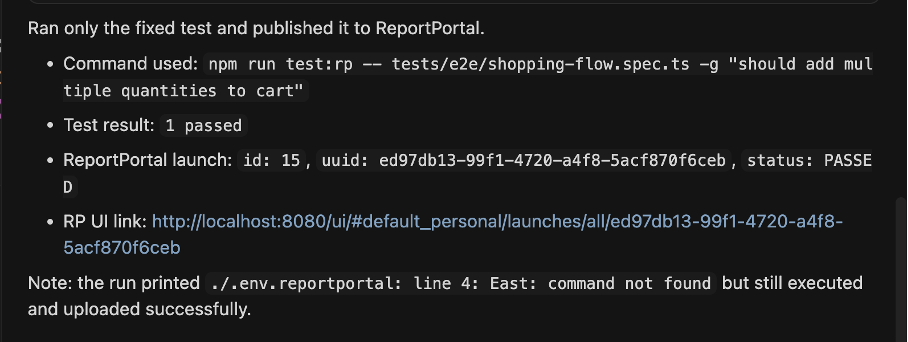
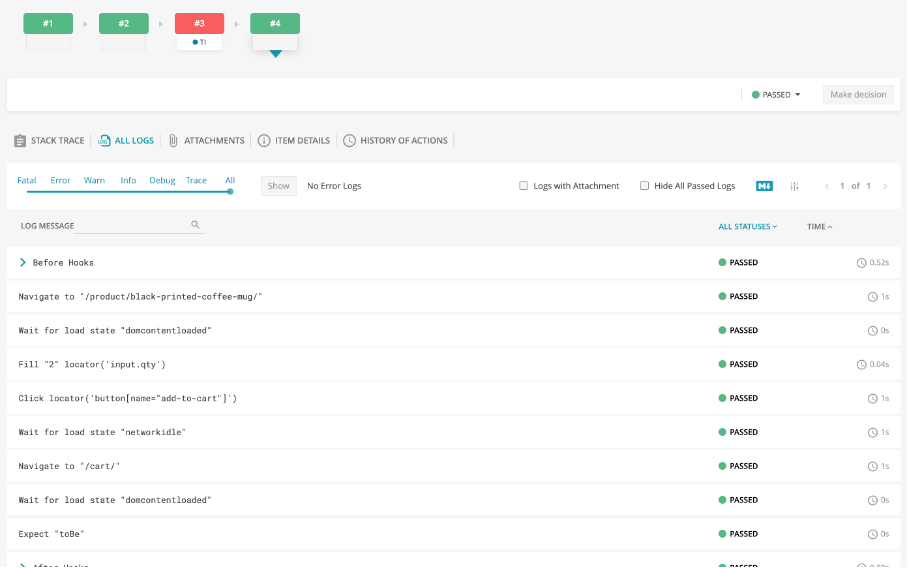
The test is fixed by the model. Let’s run it… and the test passed successfully! On top of that, the model sent a URL to ReportPortal with the launch containing the proper test.
.
Jira MCP
As you probably know, Jira is one of the go-to tools for managing IT projects — and there’s an MCP server available for it too. It allows you to integrate your AI tools (such as Claude, Cursor, and so forth) with your Jira instance. What can you do? For example, you can pull a task description directly from your Cursor IDE. Imagine you found a bug while debugging a test in Cursor. Instead of writing everything manually, you can create a ticket automatically — and with a proper prompt or instruction (like one written in Claude.MD), it can be added immediately with an extensive description. Keep in mind that this is especially useful for agentic or sub-agentic flows.
What do we need to do?
First of all, if you want to check this out, you need to create (or use an existing) Jira instance. I have created a dedicated Jira instance for this purpose. The next step is generating an API key to connect to your Jira instance.
Add Atlassian plugin to Cursor
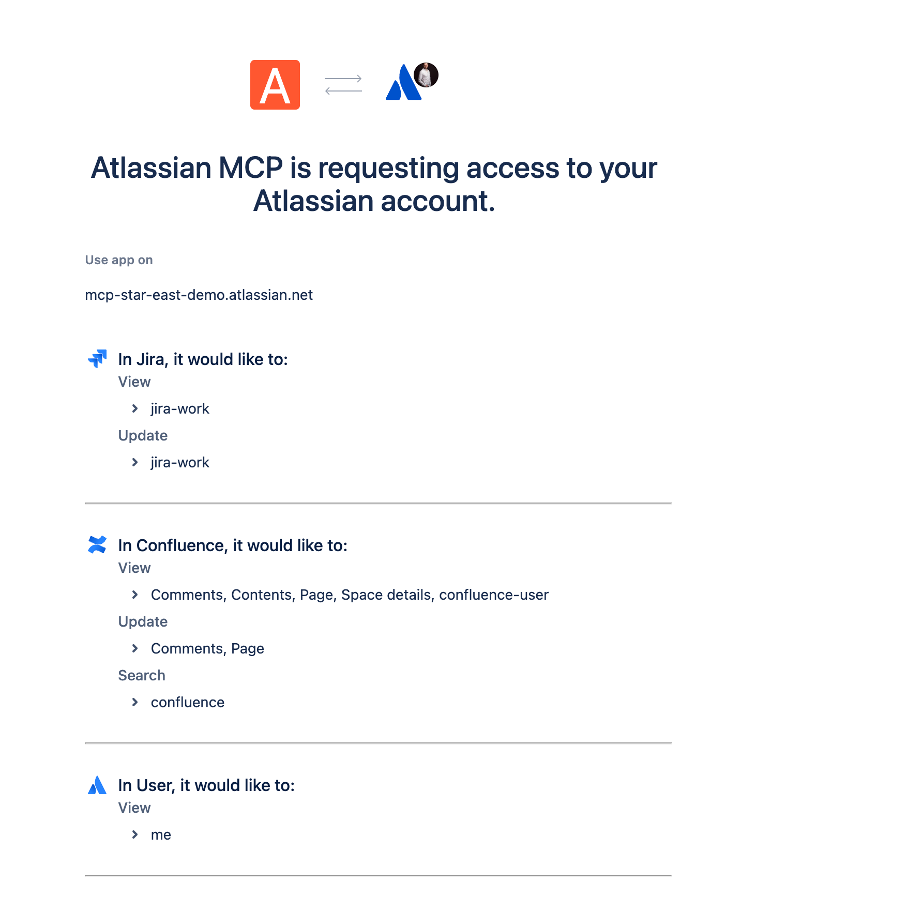
When you add the plugin to Cursor, more operations become available from the IDE. You can, for example, create Jira tickets or pull information from a task directly in Cursor. Keep in mind that this type of usage is especially interesting under the hood — when you chain a few models together and extend the default LLM’s capabilities.
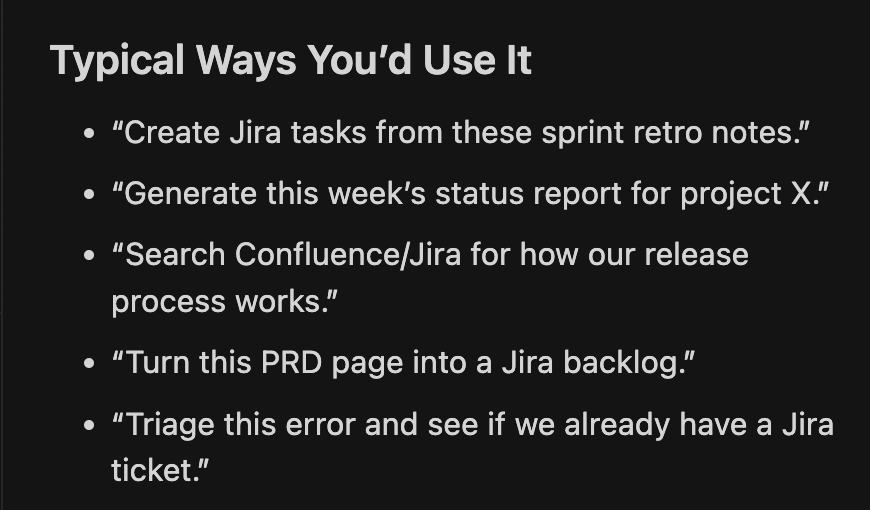
For the purpose of this article, I’ve created a test containing an error. It’s a test that adds a review to a particular product on our e-commerce demo app, but the email used in this test is invalid – it doesn’t follow the validation rules for what an email should look like. It’s a simple demonstration of how Jira MCP works in practice.
Once the test has finished, I open the Cursor context chat, and I provide information for creating a bug ticket — including context and stacktrace to help whoever looks at the ticket.
The ticket has been created in Jira with a description of the bug.
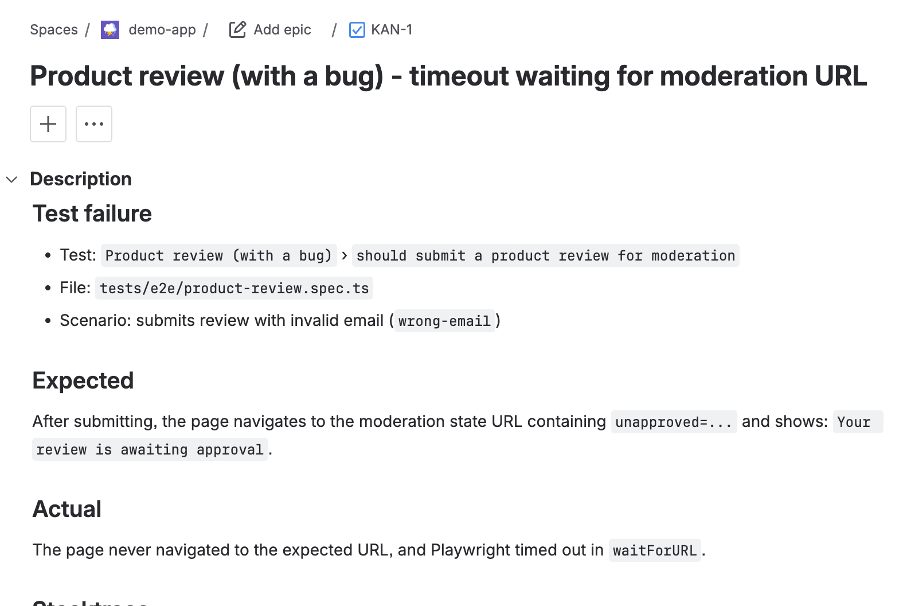
The LLM has added information, including the test’s title and a summary of a test scenario. Admittedly, we did not indicate that the issue is related to form validation, but the test did time out. However, when I provided a slightly different prompt — asking for more details on how to resolve the problem — then I got a better description. On top of that, we can find more info on what went wrong and the LLM can fill in the gaps. It looks much better:
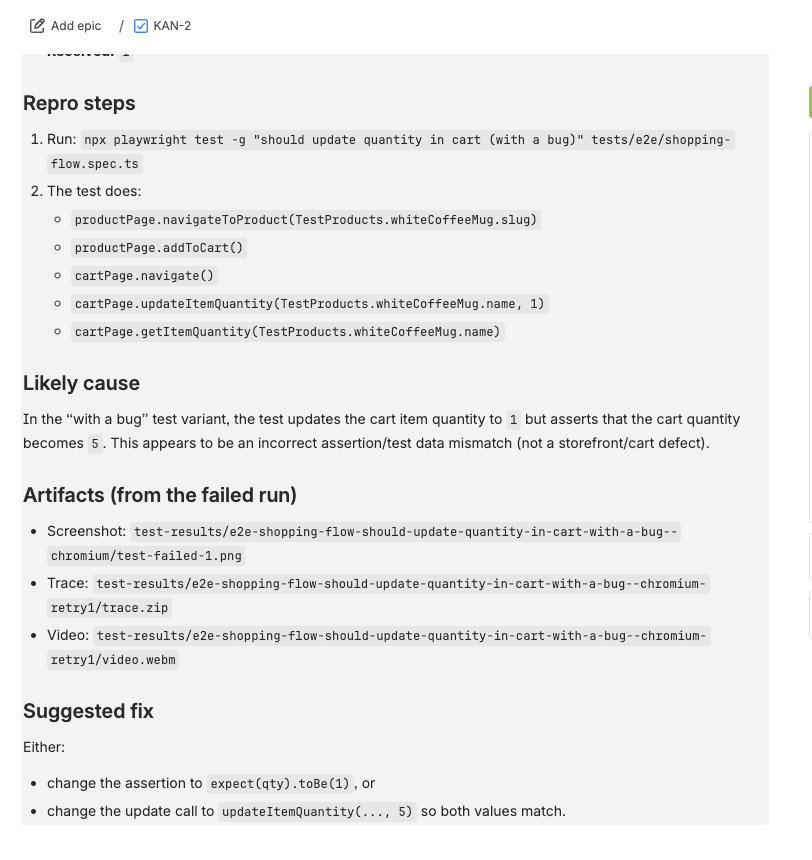
When I added a hint to the prompt to suggest potential improvements, I saw that they were actually useful.
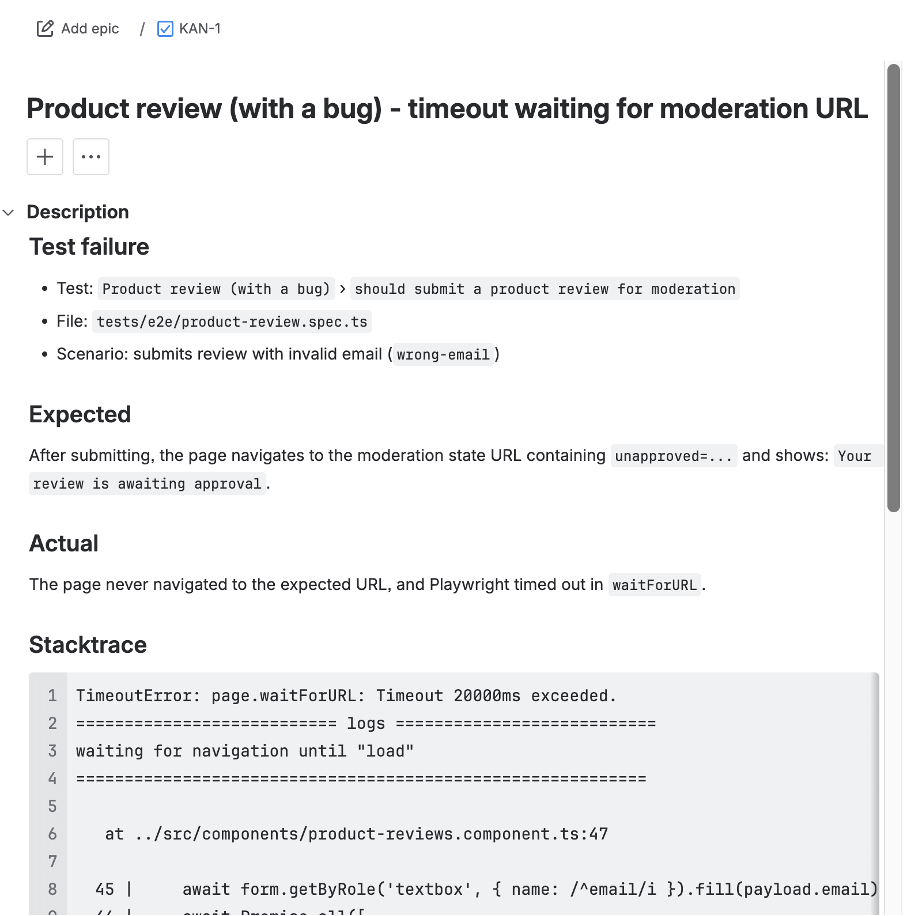
The ticket content is described comprehensively — we get a clear picture of what went wrong.
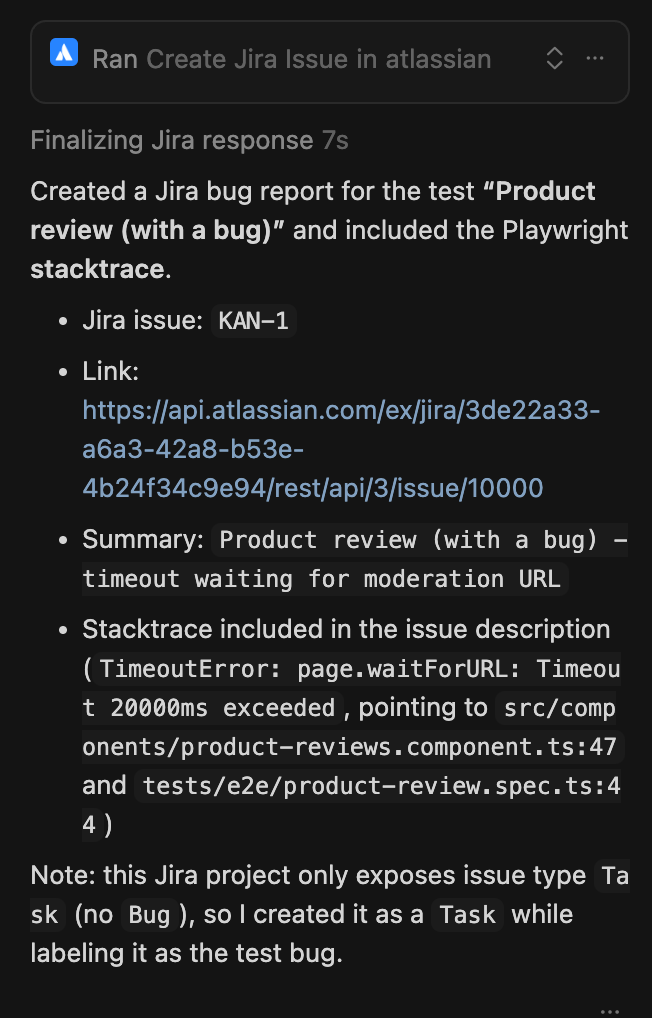
What’s even more interesting is that you can instruct the prompt to include more information in the ticket — for instance, ideas for potential solutions. Depending on the problem (and how much context is provided) LLMs can try to suggest a proper solution.
GitHub MCP
This MCP integration is extremely useful. A lot of people say it’s one of the most essential MCPs available, since it allows you to tap into a wider range of GitHub capabilities.
GitHub, as you know, is one of the most popular git hosting providers in the world, as well as providing popular CI/CD services like GitHub Actions and Copilot — one of the most popular tools for code review.
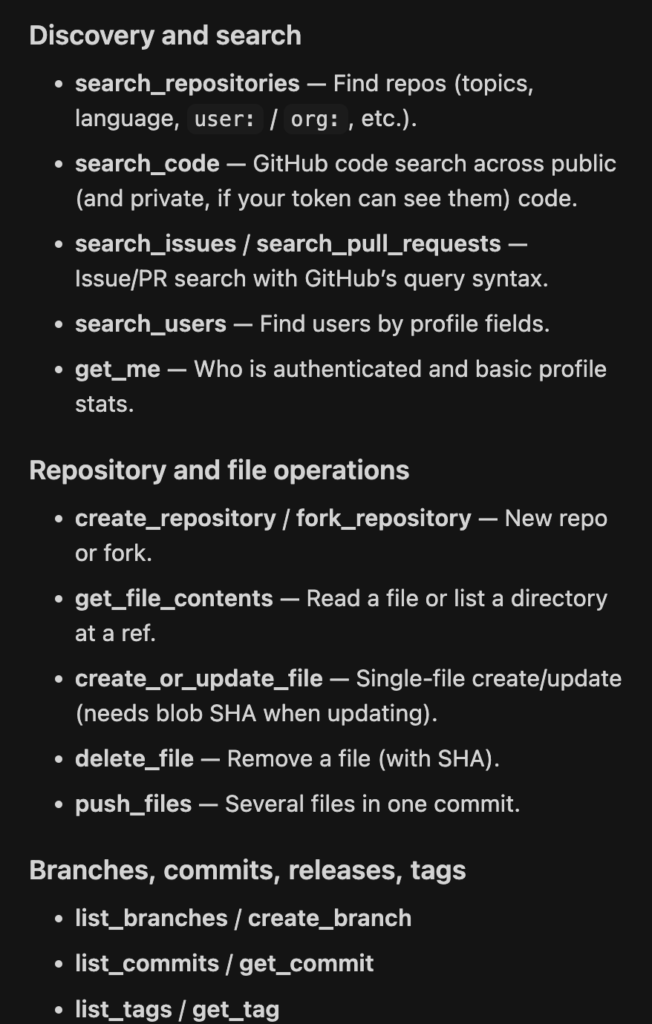
What’s particularly useful here is that we can create a repository for code generated by the LLM or IDE (which is connected to the LLM), as well as make quick edits. Bear in mind that in this article, I demonstrated a more hands-on approach to showcase the possibilities of these MCPs. In sub-agent or agentic mode, these operations can be performed automatically, which truly streamlines the entire process. In day-to-day work, this is where the tools really start working in tandem. You can have an agent that detects and fixes an issue in the code, and via GitHub MCP, you can immediately open a PR with those changes.
How to use GitHub MCP?
Let’s imagine you use GitHub to track bugs in your project. You can add an issue with all the information from a failed test. Another idea is to add a private repository created specifically for this article. To do that, I opened the context window and provided a prompt asking GitHub to create a repository for the project.
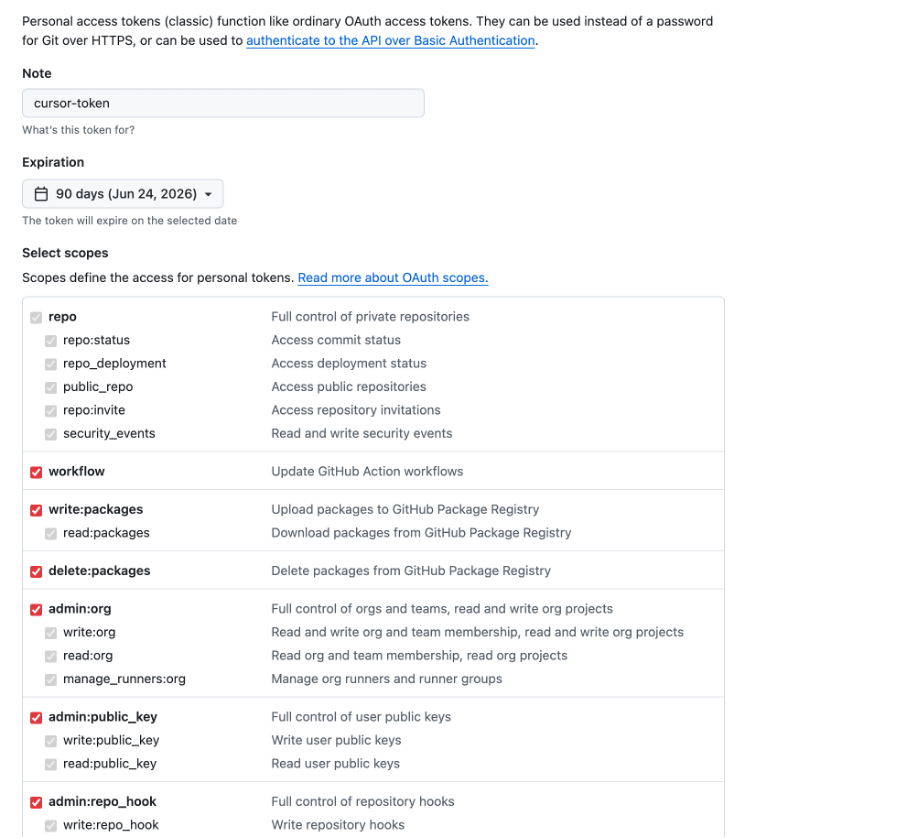
First of all, you need to add the GitHub MCP to your mcp.json settings. Before that, though, you’ll need to generate a token for your GitHub account. Head to this page and create one: https://github.com/settings/tokens
Keep in mind that this is highly sensitive information that you should never pass to the model.
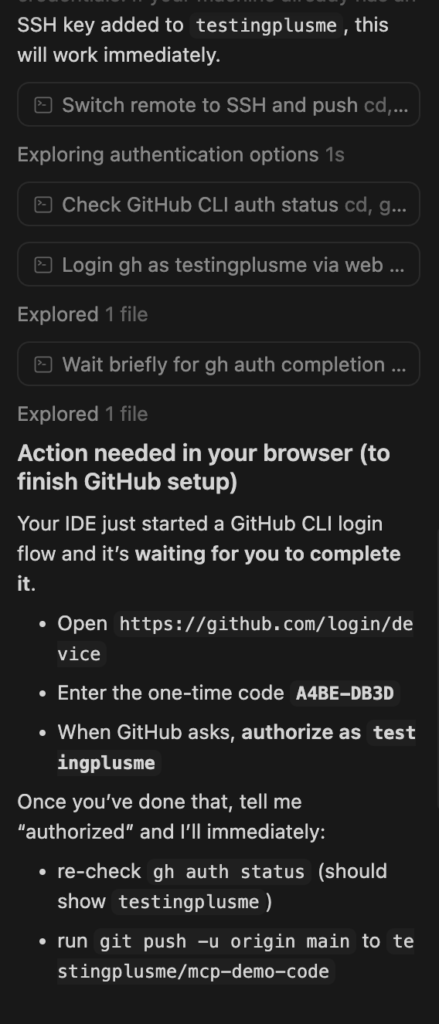
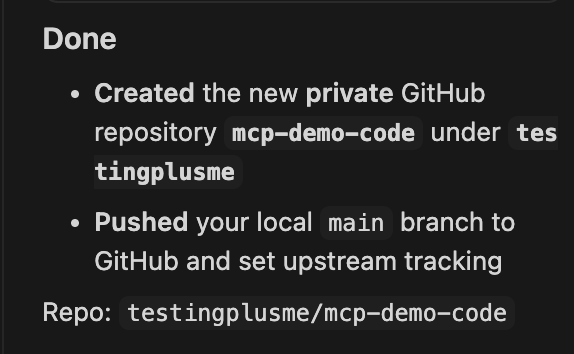
Once the token was added to the mcp.json settings, I logged in using two-factor authentication, and the model generated the repository for this article.
Playwright MCP

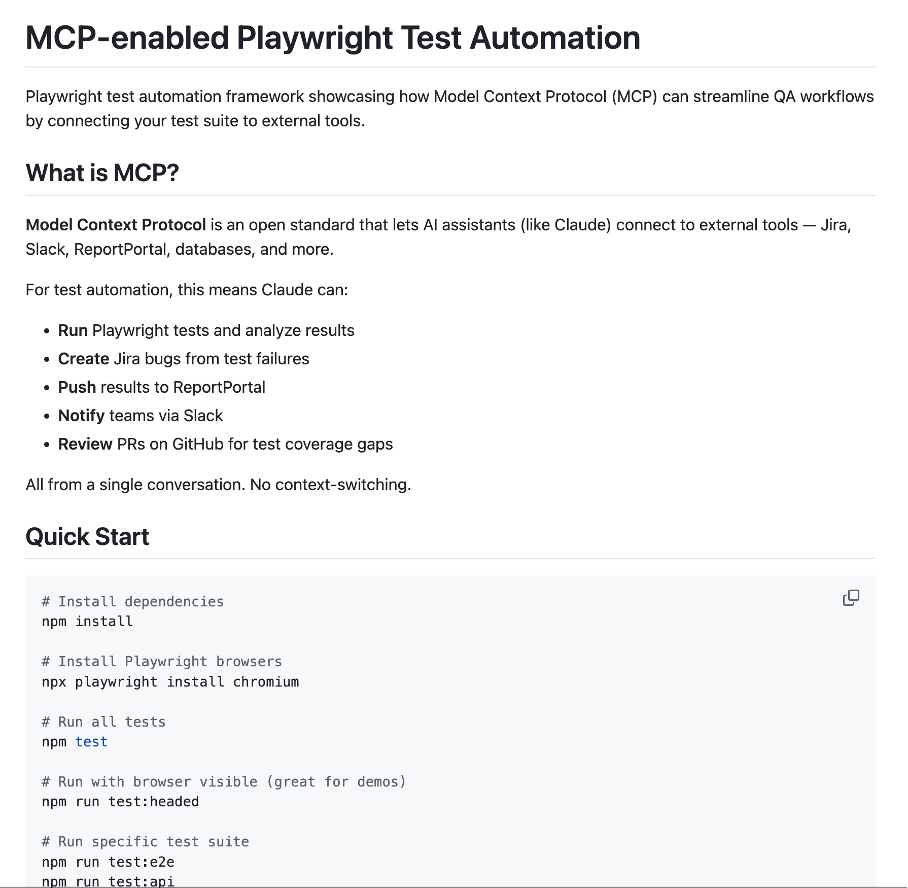
On top of that, this integration can be used for creating pull requests automatically. Let’s imagine you have an agent that performs a code review or generates page objects for particular pages. You could have a solution that takes URLs from tickets, creates page objects using Playwright MCP, and finally opens a PR with those changes. For specific use cases when you need to work with a web browser, Playwright MCP is one of the best tools. Obviously, depending on the complexity of the page, results may vary — but I see plenty of room for experimentation.
Playwright MCP – I’ve written about this MCP in the following article (Playwright MCP + Claude AI: Experimenting Without Overpromising). Playwright offers a few options for how you can use it in the context of AI. First, you might want to simply use Playwright MCP. Beyond that, you can also use Playwright Agents — a tool consisting of three sub-agents: planner, generator, and healer. There is also Playwright CLI, which should allow you to effectively manage token usage (important notice: I’ve heard different opinions about this idea of reduced token utilization — I haven’t checked it myself yet, so without verification it’s hard to say whether it really uses fewer tokens).
I think there are a few potential use cases for Playwright MCP. It can navigate directly to a page in your web application, allowing you to extract HTML from a particular page (I wrote about that here). There is also Playwright CLI, about which I’ll be writing a separate article. Playwright MCP can also help you explore your application — to that end, I’ve written a prompt.
What is done correctly:
- The concept of fixtures was used (there is another link about that Playwright in Practice: Writing Better Tests for Beginners with Page Object Pattern, Fixtures (TS))
- Also, passing test data via the submitReview method looks correct. Assertions are meaningful after adding the review for this page.
- The review is waiting for approval, so the URL contains the text “unapproved”. The LLM suggested using regex for that. The rest of the assertions are rational — on screen, we can see the content of the review as well as the text that the assertions are verifying.
- Likewise, with every MCP update or new model version, I notice the code quality improving — as long as we know how to prompt the model correctly during the generation process. This matters because without that knowledge, we can still end up with poorly generated code.
Disadvantages of using MCP
From my experience, LLMs sometimes struggle with integrations — for instance, I ran into an issue when creating a Jira ticket via the integration. I had to open a new context window and repeat the action, and then everything worked fine.
I also notice that more tools have started offering command line integration — e.g., Playwright Agents, which uses fewer tokens than Playwright MCP (at least it should). Maybe in the future we’ll lean more toward the command line approach than MCP, but I still see the community growing rapidly.
Security challenges
What’s worth noting is that new attack vectors have emerged since MCP was introduced, affecting even the most popular services such as:
June 2025 – Anthropic MCP Inspector RCE
- What happened: Researchers found that Anthropic’s MCP Inspector developer tool allowed unauthenticated remote code execution via its inspector–proxy architecture. An attacker could get arbitrary commands run on a dev machine just by having the victim inspect a malicious MCP server, or even by driving the inspector from a browser. CVE Link
- Data at risk & why: Because the inspector ran with the user’s privileges and lacked authentication while listening on localhost / 0.0.0.0, a successful exploit could expose the entire filesystem, API keys, and environment secrets on the developer workstation – effectively turning a debugging tool into a remote shell. VSec Medium Link
August 2025: Anthropic “Filesystem MCP Server” Vulnerabilities
- What happened: Security researchers found two critical flaws in Anthropic’s Filesystem-MCP server: sandbox escape and symlink/containment bypass, enabling arbitrary file access and code execution. Cymulate Link
- Data breached & why: Host filesystem access, meaning sensitive files, credentials, logs, or other data on servers could be impacted. The root cause was poor sandbox implementation and insufficient directory-containment enforcement in the MCP server’s file-tool interface.
source: authzed.com/blog/timeline-mcp-breaches
Right enough, you can find more issues that have occurred with MCPs and with using LLMs in general. Of course, attacks will always happen — but bear in mind that if we stay cautious, we can avoid some of them.
Token effectiveness
Another challenge when using LLMs is managing tokens effectively. MCP quite often uses them inefficiently. This becomes apparent when using Playwright MCP or Playwright CLI. What is Playwright CLI? It’s a fairly new library that allows you to use Playwright in a more efficient way (because they avoid loading large tool schemas and verbose accessibility trees into the model context, allowing agents to act through concise, purpose-built commands. This makes CLI + SKILLs better suited for high-throughput coding agents that must balance browser automation with large codebases, tests, and reasoning within limited context windows source: https://github.com/microsoft/playwright-cli). Based on that, we can utilize tokens more effectively.
Someone might ask — why bother? I have the best subscription. There are a few reasons:
In the future, tokens may become less available or more expensive. We’re at an early stage of adopting this technology, where VCs and LLM providers are investing heavily to encourage us to use it and get accustomed to it. As you know, eventually the time will come when they want to earn more from it. Even assuming we have plenty of tokens to burn, if you use this technology heavily, it’s quite easy to hit limits, and LLM vendors have already introduced some usage restrictions. To sum up, learning how to use tokens effectively is crucial.
In the future, as our projects become more accustomed to using LLMs, the cost of using them will become a significant part of overall project costs.
Also, the longer we use a particular context window, the worse our results can get — due to an increasing number of hallucinations over time.
There are risks related to prompt injection — for instance, gaining access to areas of a system we shouldn’t have access to. Above, I mentioned two examples out of many where security issues arose. What I want to draw attention to is using only verified MCP servers while limiting the number of permissions granted. It’s important to stay cautious. Of course, it can be tempting to add all permissions — things can move faster and work more seamlessly in an agentic way — but on the other hand, it’s very dangerous, and I wouldn’t recommend it.
What about MD files?
Currently, in the context of using LLMs, there is an idea of using MD files that allow you to create instructions for LLMs on how they should work. From my perspective, MCP can still be useful under the hood — we can specify in the MD file, for example, that MCP should be used for generating page objects, or that errors should be sent to Jira automatically.
What about CLI mode?
I notice that CLI mode can often be more efficient in terms of token usage. Some also argue that it can be less risky — and in certain contexts, that’s true. That’s one reason I’d like to write about it as well. That said, not all tools offer a CLI mode — for instance, ReportPortal doesn’t have one yet — and sometimes we simply want to validate early ideas by combining tools via MCP. It comes down to what we want to achieve and how many tokens we have available. For day-to-day work, MCP can still be useful — but for complex pipelines, CLI is probably the better choice.
Summary
In this article, I showed you how to use a few MCPs that can help people working in test automation. MCP remains quite an interesting way to expand our LLM capabilities.